Avatar Editor in Brookhaven: Catalog, Filters, Save to Roblox and Tips
TL;DR, bestie
- The Avatar Editor lets you change your look in Brookhaven without leaving the game.
- Most of it is free. VIP unlocks 120+ extra particle effects.
- It links to the Roblox catalog, with search, sorting and filters.
- Save 20+ outfits, share them with codes, or push a look to your real Roblox avatar.
On this page
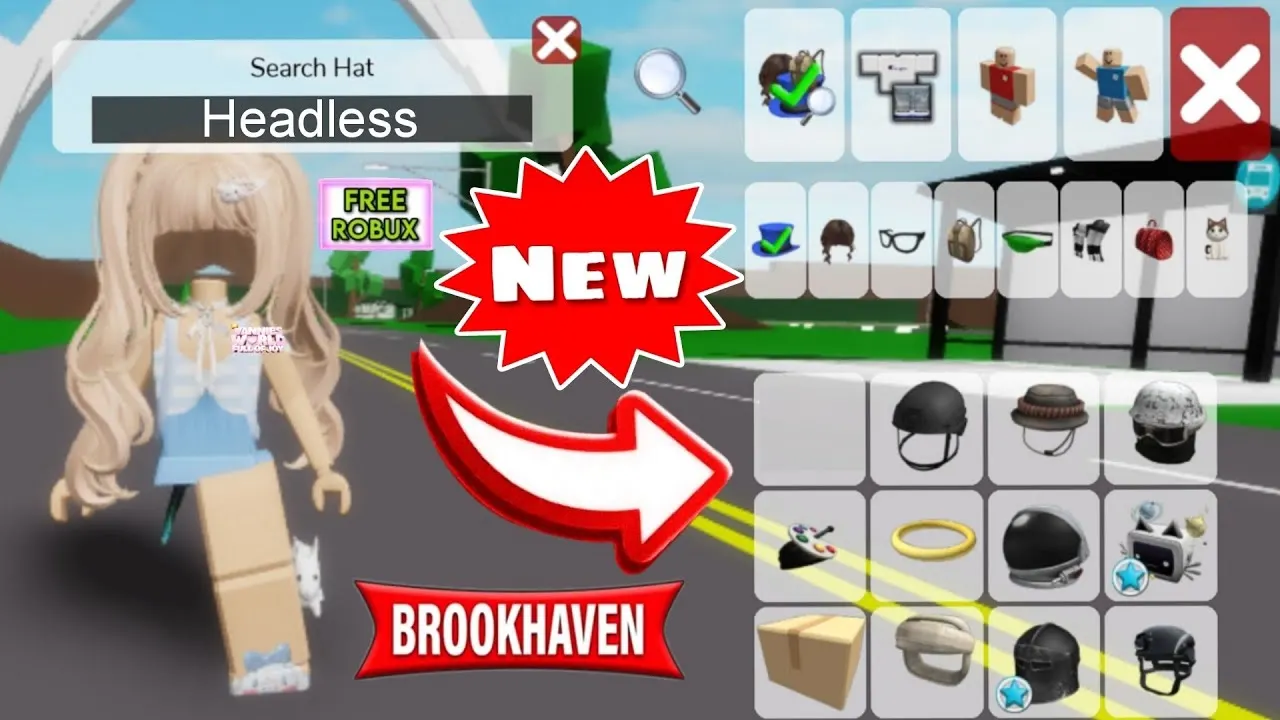
The Brookhaven Avatar Editor is basically a free dressing room. Swap outfits for every RP, try on catalog items before buying, and save looks so you're not rebuilding your "strict teacher" fit every time.
Avatar Editor at a glance
| Fact | Detail |
|---|---|
| Added | 2020 |
| Big overhaul | May 2025 |
| Cost | Free (VIP for extra effects) |
| Main tabs | Body, Clothes, Accessories, Animations, Body Types and Outfits |
| Outfit slots | 20+ |
| Accessory slots | 8 |
Every tab explained
Body
| Option | What it does | Free? |
|---|---|---|
| Size and ID | Height scale from 0.50 to 1.00, or enter a Roblox asset ID | Yes |
| Effects | Particles like hearts, stars or fire around you | 7+ free, 120+ VIP |
| Body Colors | Skin tone palette | 100+ free colors |
| Dynamic Heads | Animated 3D heads from the catalog | Catalog |
| Full Bodies | Preset body bundles | Catalog |
Swipe the table sideways →
Clothes
- 3D clothing: shoes, skirts, pants, jackets and shirts, linked to the catalog.
- 2D clothing: classic shirts and pants.
- Brookhaven exclusives: roleplay uniforms plus boys-only and girls-only outfits. You can't search these in the catalog.
Accessories
Eight slots: Hats, Hair, Face, Back, Waist, Front, Neck and Shoulders. There's a "Search All Categories" bar that looks through every slot at once.
Animations
Replace your Idle, Walk, Run, Jump, Fall, Climb and Swim animations. This tab shows text names next to the icons, which helps.
Body Types and Outfits
- Body Types: 20+ full-body presets.
- Pre-Outfits: instant styled outfits when you need a look fast.

Searching the catalog
- Search by: keyword, asset ID, creator name or Roblox group.
- Sort by: Relevance, Best Selling, Most Favorited, Price (both ways) or Recently Published.
- Time filters: All Time, Past Month, Past Week, Past 3 Days, Past Day or Past 12 Hours (for Best Selling and Most Favorited).
The Currently Wearing panel
| Tool | What it does |
|---|---|
| 3D Clothing Sort | Changes which layered item renders on top |
| Accessory Adjustments | Move, rotate, resize or recolor accessories, with a reset button |
| Save and Rename | Save outfits into 20+ slots |
| Share Outfit | Export an outfit code or load one from a friend |
| Save to Roblox | Sync the look to your real Roblox avatar |
| Buy All | Opens a purchase summary for unowned items |
| Reset Avatar | Back to your normal Roblox look |
Swipe the table sideways →
How to save a Brookhaven outfit to Roblox
- Click the avatar icon next to your outfit save list.
- Pick Update Current Avatar (replaces your look) or Create Outfit (saves a new preset).
- Check the preview. It shows owned and unowned items and the total Robux cost.
- Confirm. Items you don't own won't sync unless you buy them.
"Buy All" and "Save to Roblox" can spend real Robux. If you're a younger player, ask a parent before you confirm anything with a price on it.
What got removed
- 2D Faces were replaced by Dynamic Heads. That included 200+ free faces and 200+ Faces Unlocked pass faces.
- Static and Animated Heads were merged into Dynamic Heads and Full Bodies.
Save your best RP outfits to slots. It's free and it saves so much time. And share codes with your friends so your whole squad can match for family RP.
Related on kikomii
FAQ
Is the Brookhaven Avatar Editor free?
Mostly yes. VIP adds 120+ extra particle effects.
How many outfits can you save in Brookhaven?
20+ outfit slots.
Can you share outfits in Brookhaven?
Yes. Use Share Outfit to export a code, and your friend loads it with the same button.
How do you make yourself smaller in Brookhaven?
Go to Body, then Size and ID, and set the height scale anywhere from 0.50 to 1.00.
Where did the 2D faces go?
They were replaced by Dynamic Heads after Roblox platform changes.
🗓️ Last updated: 7 November 2026
kikomii is a fan site and isn't affiliated with Roblox or Grandma's Favourite Games.