Props in Brookhaven: Prop Limits, Saving Builds and Edit Modes
TL;DR, bestie
- Props are the furniture, decorations and objects you can place around your house, on your car or (in private servers) anywhere on the map. Most are free. Fewer than 30 are paid, mostly through VIP or the Horse Upgrade.
- Public servers: 15 props on your house plot (20 with VIP). Each +10 costs 100 Robux, up to 45 (50 with VIP).
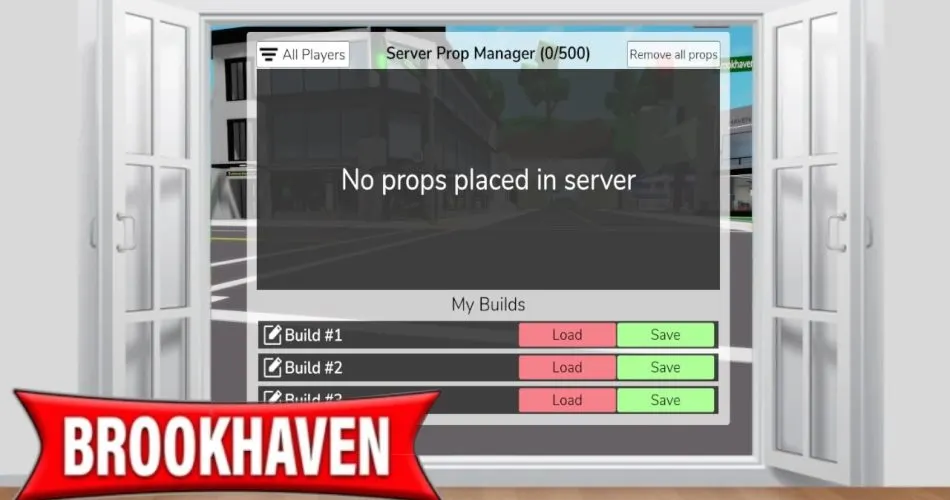
- Private servers: 500 props to start, +100 per 100 Robux, up to 2,000. Cars cap at 100 there.
- You get 3 free save slots each for houses, cars and private server worlds. Extra slots cost Robux.
🗓️ Last updated: 6 November 2026
Props turned Brookhaven from “pick a house” into “build whatever your roleplay needs”. A school, a burger stand, a crime scene, a wedding arch. They first arrived with the Christmas update on 14 December 2022, and the system has grown a lot since. The rules around limits and saving confuse almost everyone, so here’s the clear version.
Props at a glance
| Fact | Detail |
|---|---|
| Added | 14 December 2022 (Christmas update) |
| Cost | Most props are free; fewer than 30 are paid |
| Paid prop sources | VIP gamepass, Horse Upgrade (horse props) |
| House limit, public server | 15 (20 with VIP), max 45 (50 with VIP) |
| House limit, private server | 500, max 2,000 |
| Free save slots | 3 for houses, 3 for cars, 3 for private server worlds |
How it works
Props come in three groups on the community wiki: the main Props Catalog (lights, furniture, food, tech, sports, hospital gear, signs and dozens more categories), Seasonal Props from events like Halloween and Christmas, and Collab Props from brand crossovers.
Placing and editing
When you place a prop and click it, you enter Prop Edit Mode. From there you can move it, rotate it, recolor or retexture it if that prop allows it. Two tools only work in private servers: resizing props and toggling collision so players can walk through them. Not every prop supports collision changes, even there.
Prop Stacking Mode is the other one. It snaps props onto walls, ceilings, tables and counters, and lets you stack things neatly instead of having them float or clip. It’s the secret to rooms that look decorated instead of dumped.
Limits
| Where | Public server | Private server |
|---|---|---|
| House plot | 15 (20 VIP), +10 per 100 Robux, max 45 (50 VIP) | 500, +100 per 100 Robux, max 2,000 |
| Car | 15 (20 VIP), +10 per 100 Robux, max 45 (50 VIP) | Fixed at 100 |
| Whole map | Not available | 500, +100 per 100 Robux, max 2,000 |
In private servers, every prop from every player counts toward one shared server limit.

Saving builds
| Save type | Free slots | Extra slots |
|---|---|---|
| House | 1 to 3 | Slot 4: 50 Robux, slot 5: 100, slot 6: 150 |
| Car | 1 to 3 | Slots 4 to 10: 100 Robux each |
| Private server world | 1 to 3 | Slots 4 to 10: 100 Robux each |
House saves only keep props inside your plot lines, and they only load on the same plot type. A normal house layout won’t load on an Estate plot, and the other way around. Car saves only work on road vehicles like cars, trucks and motorcycles, not bikes, scooters, horses, boats or flying vehicles.
Step by step: build and save a room
- Spawn your house and open the props catalog.
- Place your big pieces first: walls, floors, beds, tables.
- Switch to Stacking Mode for small stuff like lamps, plates and posters.
- Recolor props so the room matches. It’s free and makes a huge difference.
- Check that everything is inside the plot lines.
- Save to one of your free slots and give it a name you’ll recognize.
- Hit Load later to clear the plot and respawn your saved layout.
Tips
- Build big in a private server, but plan for public. A layout with more than 45 props (50 with VIP) won’t load in public servers.
- Use one slot per vibe. Family house, school, party. Swapping saves beats rebuilding.
- Car builds are underrated. A food truck or parade float takes 10 minutes and gets attention.
- My family roleplay ideas and school roleplay ideas list exact props for each plot.

Common mistakes
- Building outside the plot lines. Those props don’t save.
- Paying for prop slots before trying a private server. If you build a lot, a private server’s 500-prop start is way more room. My private server guide explains the setup.
- Loading a house layout on an Estate. Different plot types don’t share saves.
- Spawning a house on a plot full of world props. In private servers, spawning a house there deletes the props inside that plot.
Kiko’s take: Props are the best free feature in Brookhaven, full stop. You don’t need VIP to build something great, you just need Stacking Mode and patience. If you’re going to spend Robux here, I’d put it toward a private server before extra public prop slots. It’s like upgrading from a shoebox diorama to a whole dollhouse.
FAQ
How many props can I place in Brookhaven? In public servers, 15 on your house (20 with VIP), up to 45 (50 with VIP) with paid upgrades. Private servers start at 500 and go up to 2,000.
Are Brookhaven props free? Most are. Fewer than 30 are paid, mainly through VIP or the Horse Upgrade.
Why didn’t my props save? They were probably outside your plot lines, or you loaded the layout on a different plot type.
Can I resize props? Only in private servers.
Related on kikomii
- How to use a private server in Brookhaven for the 2,000-prop setup.
- Every Brookhaven game pass, ranked before you buy VIP for props.
- Related pages: Houses, Vehicles and House Controls.
Image credits: YouTube thumbnails from XdarzethX – Roblox & More! and O1G (prop building, prop limit).
kikomii is a fan site and isn’t affiliated with Roblox or Voldex.